How to Turn One Short Video into 10 Pieces of Social Content
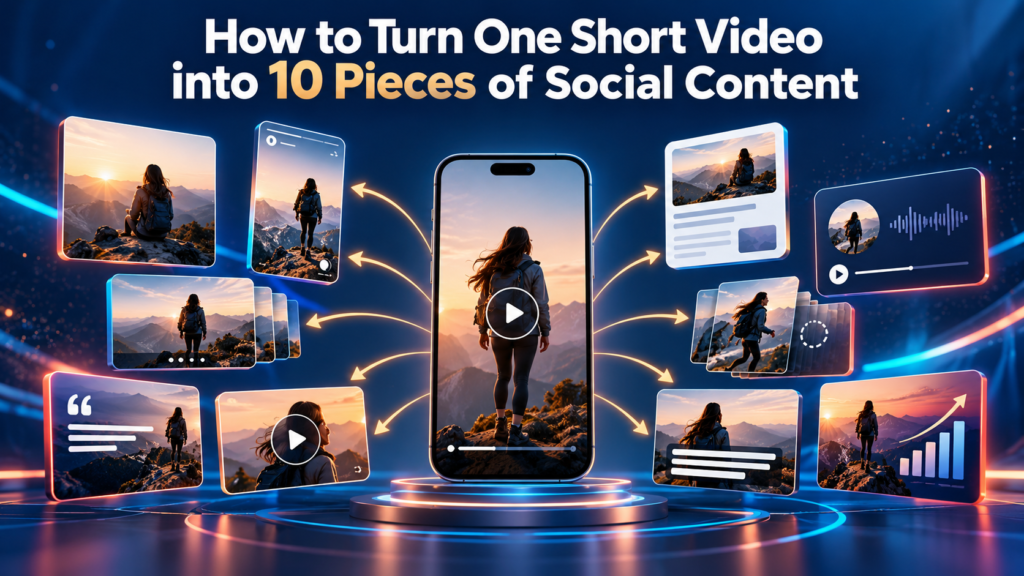
One well-planned short video can become a full fortnight of social content when it is filmed with repurposing in mind. The system is simple: define one master story, capture extra shots during production, edit by asset type, clear usage rights before publishing, then schedule each cut with a clear role. For Hong Kong brand and marketing managers, this approach reduces last-minute content pressure, keeps approvals tidy, and gives each channel-ready asset a specific job without pretending one cut suits every use.
What should one short video become?
One short video should become a master story plus ten practical content assets: hook variants, a TikTok cut, an Instagram Reel, a YouTube Short, Stories, a carousel, stills, a creator whitelisting asset, a website embed, and a sales-team clip. The point is not to copy and paste the same file everywhere. It is to preserve one strategic message while changing the edit, caption, framing, call to action, and usage context.
This is the core of a short-form video content system. Instead of asking, “What can we post tomorrow?”, the team asks, “What must we capture today so we have two weeks of useful material?” That shift matters in Hong Kong, where marketing teams often juggle regional approvals, bilingual copy, product launches, retail calendars, agency edits, and management feedback in compressed timelines.
A concise way to frame it is this: repurposing is not recycling; it is planned variation from one approved story.

The master story sets the creative spine
Before filming, write the master story in one sentence. It should name the audience, the tension, the product or idea, and the desired action. For example: “Busy Hong Kong commuters need a fast way to understand why this product fits their morning routine, so the video shows the problem, the proof point, and the next step in under one minute.”
Then break that story into four beats:
- Hook: the first visual or line that gives someone a reason to keep watching.
- Context: the situation, need, question, or cultural moment.
- Value: the product detail, service benefit, creator reaction, demonstration, or expert point.
- Action: the next step, such as visiting a store, saving the post, watching the full clip, asking the sales team, or clicking through.
This is also where How Hong Kong brand and marketing managers can repurpose one short video into 10 social content assets with a practical system (shot list, editing matrix, rights checklist, and two-week workflow) becomes more than a long SEO phrase. It becomes the operating model: plan once, film once, approve intelligently, then adapt with discipline.
The shot list makes repurposing possible
A strong video repurposing workflow starts on set, not in the editing suite. If you only film the final talking head or polished hero moment, every later asset will feel thin. If you capture modular footage, the editor can create depth, variation, and context without requesting another shoot.
Use this shot list as a practical starting point:
- Opening hook shots
- Two or three bold first frames.
- A close-up action, product movement, creator reaction, or surprising visual detail.
- A clean version with no text baked in, so captions can be adapted later.
- Master narrative shots
- One complete take of the core story.
- One shorter take with a tighter opening.
- One version with simpler wording for subtitles or bilingual adaptation.
- Proof and detail shots
- Product close-ups, packaging, interface screens, store environment, service moments, or demonstration steps.
- Hands, textures, signage, usage moments, and reaction shots.
- Cutaways that can cover edits or support carousel slides.
- Creator or spokesperson options
- Direct-to-camera lines.
- Natural reactions.
- Silent expressions for stills and story frames.
- A clean call-to-action take for paid or sales use.
- Format-safe framing
- Shoot vertically where possible.
- Keep important faces, hands, product names, and subtitles away from interface areas.
- Capture a few wider takes for website embedding and internal presentations.
Official creative guidance from TikTok and Meta both emphasises vertical creative and safe zones, so build this into the shoot rather than trying to rescue blocked text later. (ads.tiktok.com)
How do you edit one video into ten assets?
You edit one video into ten assets by assigning each version a distinct job. Start with the approved master story, then create shorter, sharper, or more contextual versions for different audience moments. The editing matrix below avoids platform comparison; it simply gives each asset a role, an edit focus, and a quality check.
Use this matrix as a production brief:
- Master story
- Role: the full approved narrative for internal alignment and primary publishing.
- Edit focus: clear beginning, middle, and action.
- Check: can a manager understand the message without extra explanation?
- Hook variants
- Role: alternative openings for testing creative angles.
- Edit focus: three to five first-frame or first-line options.
- Check: each hook should change the reason to watch, not just the wording.
- TikTok cut
- Role: a native-feeling short edit with pace, human presence, and a quick opening.
- Edit focus: show the most immediate moment first, then explain.
- Check: keep product, face, and text visible inside safe areas; TikTok’s own guidance highlights the importance of early hooks and visible creative elements. (ads.tiktok.com)
- Instagram Reel
- Role: a polished short edit for social discovery, creator content, brand page publishing, or paid use where approved.
- Edit focus: strong visual rhythm, readable captions, and a clean brand cue.
- Check: Meta’s Reels guidance points to 9:16 creative, audio, and safe-zone discipline. (facebook.com)
- YouTube Short
- Role: a compact vertical explanation, teaser, or product moment.
- Edit focus: clarity and self-contained context, especially if viewers have not seen the brand before.
- Check: YouTube Help says Shorts can be up to three minutes, but the message should still land quickly. (support.google.com)
- Stories
- Role: timely reminders, event prompts, behind-the-scenes moments, or soft calls to action.
- Edit focus: split into a short sequence, with each frame making sense on its own.
- Check: avoid placing important copy where interface elements may obscure it.
- Carousel
- Role: turn the video’s logic into swipeable education.
- Edit focus: one idea per slide: problem, insight, product point, proof, action.
- Check: does the carousel still work if someone never watches the video?
- Stills
- Role: feed posts, thumbnails, press decks, media kits, CRM banners, or retail communication.
- Edit focus: select frames with clean expression, brand visibility, and enough space for copy.
- Check: avoid awkward mid-speech faces and motion blur.
- Creator whitelisting asset
- Role: a paid-ready version for use through an approved creator or branded content arrangement.
- Edit focus: preserve the creator’s voice while meeting brand and legal requirements.
- Check: confirm paid media usage, duration, territory, editing rights, music rights, and approval process.
- Website embed
- Role: support product pages, campaign landing pages, recruitment pages, or case content.
- Edit focus: slightly clearer context and fewer platform-specific cues.
- Check: add captions, a suitable thumbnail, and surrounding copy that explains why the visitor should watch.
- Sales-team clip
- Role: help frontline, partnership, or business development teams explain the message quickly.
- Edit focus: remove social-only openings and keep the practical benefit obvious.
- Check: export a version that can be shared internally without confusing campaign tags or consumer-only CTAs.
The rights checklist protects the campaign
Hong Kong social content repurposing often involves creators, agencies, photographers, media teams, music, locations, and sometimes customer-facing environments. Rights issues usually appear late because everyone is focused on getting the edit approved. A simple checklist prevents avoidable delays.
Before publishing, confirm:
- Talent and creator rights
- Who appears in the footage?
- Is their consent documented?
- Does the agreement cover organic use, paid use, whitelisting, website use, internal sales use, and editing into stills?
- Usage scope
- Which territories are covered?
- How long can the asset be used?
- Can the brand crop, subtitle, translate, cut down, or combine the footage with other campaign materials?
- Music and audio
- Is the track cleared for the intended use?
- Does clearance cover paid media and website embedding?
- Is there a no-music export for internal and sales contexts?
- Location and third-party material
- Are shopfronts, artworks, uniforms, screens, packaging, or bystanders visible?
- Do you need location release language or additional blurring?
- Are product claims accurate and approved?
- Personal data and consent
- Are names, faces, contact details, customer comments, or identifiable information being used in a marketing context?
- Does the team have a clear consent and opt-out process where relevant?
The Hong Kong PCPD’s direct marketing guidance stresses informed handling of personal data and consent, so marketing teams should treat rights review as part of the workflow rather than a final legal hurdle. (pcpd.org.hk)
Field note from Hong Kong campaign work
Guru Online offers a useful restraint observation from local campaign thinking: their proposal for UNIQLO HEATTECH’s 20th anniversary and iQIYI Instagram Reels with creators Hana Tam, Carmen Ngai and Jacky Cai points to the value of planning a central message while allowing individual creator executions to carry their own context. That does not mean identical content was posted everywhere; the safer lesson is that a campaign idea can be systemised without flattening every asset into the same cut.
For Hong Kong managers, that distinction is important. A regional team may want consistency, a local team may need cultural nuance, and creators need enough room to sound credible. The practical answer is not looser control. It is a clearer content architecture: one message spine, approved guardrails, and asset-by-asset adaptation.
A two-week workflow keeps production calm
A two-week workflow works well because it gives enough time for filming, editing, internal review, legal checks, and staggered publishing without stretching a short video project into a campaign that loses momentum. Adjust the pace for regulated categories, but keep the sequence intact.
Days 1–2: Plan the story
Write the master story, define the ten outputs, list required approvals, and confirm rights needs. Build the shot list before anyone books the shoot. If the brand needs English and Traditional Chinese captions, plan that now rather than treating translation as a final admin task.
Days 3–4: Shoot for modules
Capture the master take, hooks, cutaways, stills, clean CTAs, and wider website-friendly framing. We have all seen shoots where the best social asset was a spontaneous moment; leave room for those, but do not rely on luck.
Days 5–7: Create the first edit batch
Edit the master story, hook variants, TikTok cut, Instagram Reel, YouTube Short, Stories, and website embed. Pull stills and draft carousel copy while the footage is fresh. Prepare a sales-team clip with a clearer explanatory opening.
Days 8–9: Review and rights check
Send one organised review pack, not scattered files across chat threads. Label each asset by role. Check captions, claims, names, music, creator usage, and paid-media permissions before final export.
Days 10–14: Publish and learn
Schedule the first wave, hold back some hook variants, brief community managers, and prepare the sales team. Look at completion, saves, comments, enquiries, and qualitative feedback, but avoid over-reading one post. The aim is to learn which angle deserves a second production round.
What should managers measure after publishing?
Managers should measure whether each asset did its assigned job, not whether every version produced the same outcome. A hook variant should reveal which opening earns attention. A carousel should make the idea easier to save or explain. A website embed should support page understanding. A sales clip should help conversations become clearer.
Use a simple review checklist:
- Did the opening make the message clear quickly?
- Were subtitles readable in English and Chinese where used?
- Did viewers ask questions that suggest confusion?
- Did creator-led assets retain a natural voice?
- Did the sales team actually use the clip?
- Which cut should inform the next shoot?
This keeps reporting practical. It also helps senior stakeholders see why a content system is not just more output. It is a way to make creative learning visible.
Frequently asked questions
- Is this system suitable for small Hong Kong marketing teams?Yes. A smaller team may not produce every asset every time, but the same logic still helps. Start with the master story, two hook variants, one vertical social cut, stills, and a sales clip. Add the remaining assets when resources allow.
- Should the same caption be used for every asset?No. Keep the message consistent, but adapt the caption to the asset’s role. A Story may need immediacy, a carousel needs structure, and a website embed needs context.
- Can one creator video become brand-owned assets?Only if the agreement allows it. Confirm usage rights before filming, especially for paid media, whitelisting, edits, stills, website use, and internal sales materials.
- How many hook variants are enough?Three is a practical starting point: problem-led, benefit-led, and curiosity-led. More can help, but too many versions slow approval if the core message is not clear.
- What is the biggest mistake in video repurposing?The biggest mistake is filming one finished post and hoping it can stretch. Repurposing works best when the shoot captures modules: hooks, cutaways, proof points, still frames, and clean calls to action.
The practical takeaway
The best answer to How to Turn One Short Video into 10 Pieces of Social Content is not a bigger edit folder. It is a planned system. Define the master story, shoot for modular use, edit each asset for a specific role, clear rights early, and publish over two weeks with room to learn.
For Hong Kong brand and marketing managers, this approach brings order to busy campaign calendars without draining the personality from the work. And when partners such as Guru Online are involved, the same principle still applies: protect the central idea, then give every asset a clear reason to exist.